Log Viewer
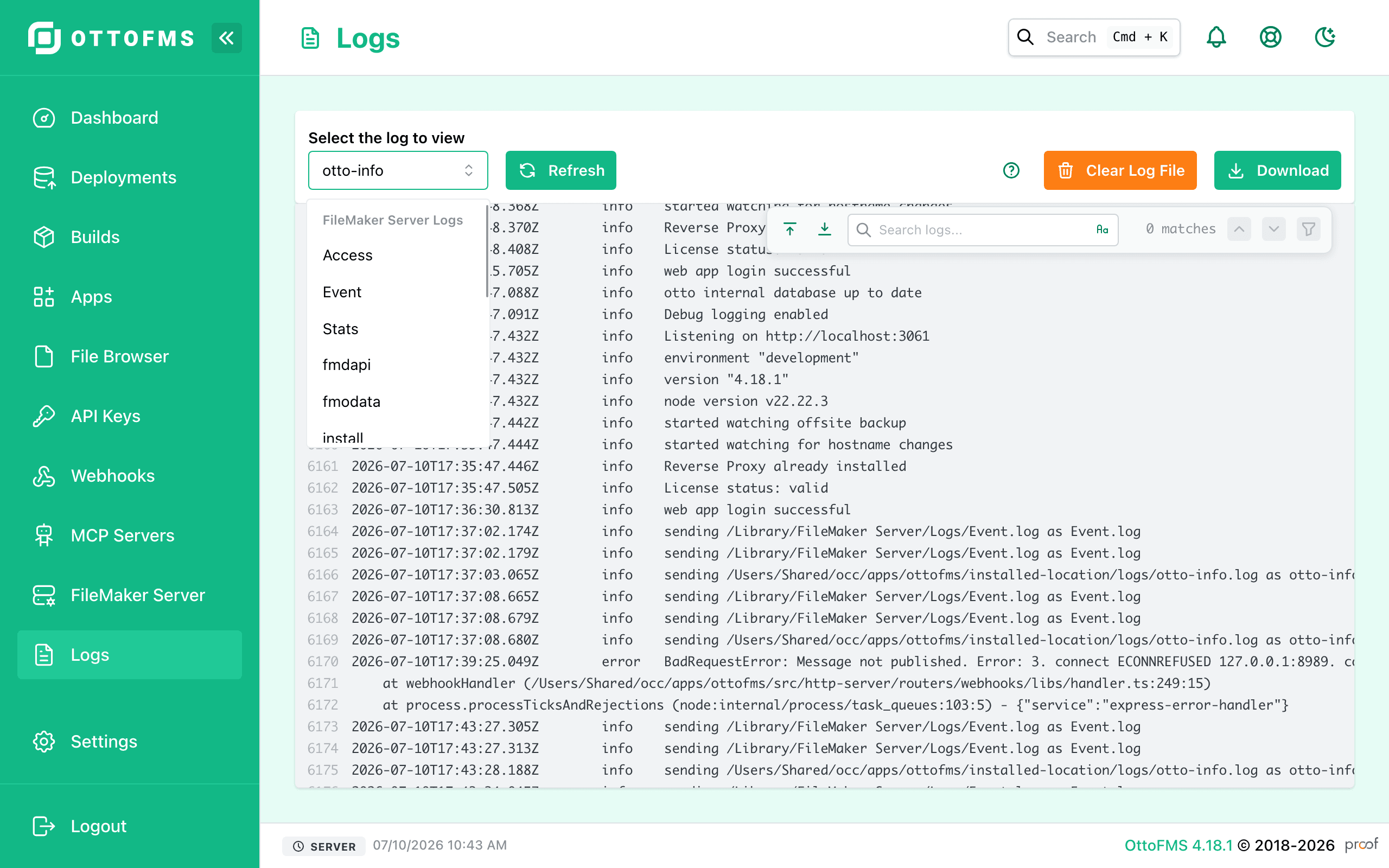
Search and view FileMaker Server and OttoFMS logs directly in the OttoFMS console with a fast, searchable log interface.
OttoFMS has a Log Viewer that can display FileMaker Server logs and OttoFMS logs. The interface is fast, and searchable. Here are the logs you can view:
FileMaker Server Logs
- Event.log
- Access.log
- fmdapi.log
- scriptEvent.log
OttoFMS Logs
- otto-info.log
- otto-error.log
- otto-receiver.log
Interface
Log Files API
Requires OttoFMS 4.18.0 or later.
In addition to the Log Viewer, the OttoFMS API exposes endpoints for listing, downloading, and clearing the same FileMaker Server and OttoFMS log files:
- List Log Files (
GET /server-info/logs) — returns the available FileMaker Server and OttoFMS log files. - Download Log File (
GET /server-info/logs/{fileName}) — downloads the raw contents of a log file. Use the file names from the list endpoint. - Clear Log File (
DELETE /server-info/logs/clear/{logFileName}) — clears a log file, emptying it without deleting it.
Was this page helpful?
Plugins
Install, enable, and remove FileMaker Server plugins for the Scripting Engine, Web Publishing Engine, and Data API Engine without touching the file system.
Settings
Configure OttoFMS appearance, offsite backups, backup schedules, IP filtering, logging, and licensing from the console settings page.