Builds
Browse your server's build history, inspect file configuration and logs, and rerun or publish builds to a deployment destination.
The OttoFMS Builds console is a historical record of all builds that have run on the server. For more information on builds and their uses, check out the concepts doc.
Builds are only useable when they remain in the outbox (or have been published to another location). If a build is deleted from the outbox, it will no longer be available for use in a deployment.
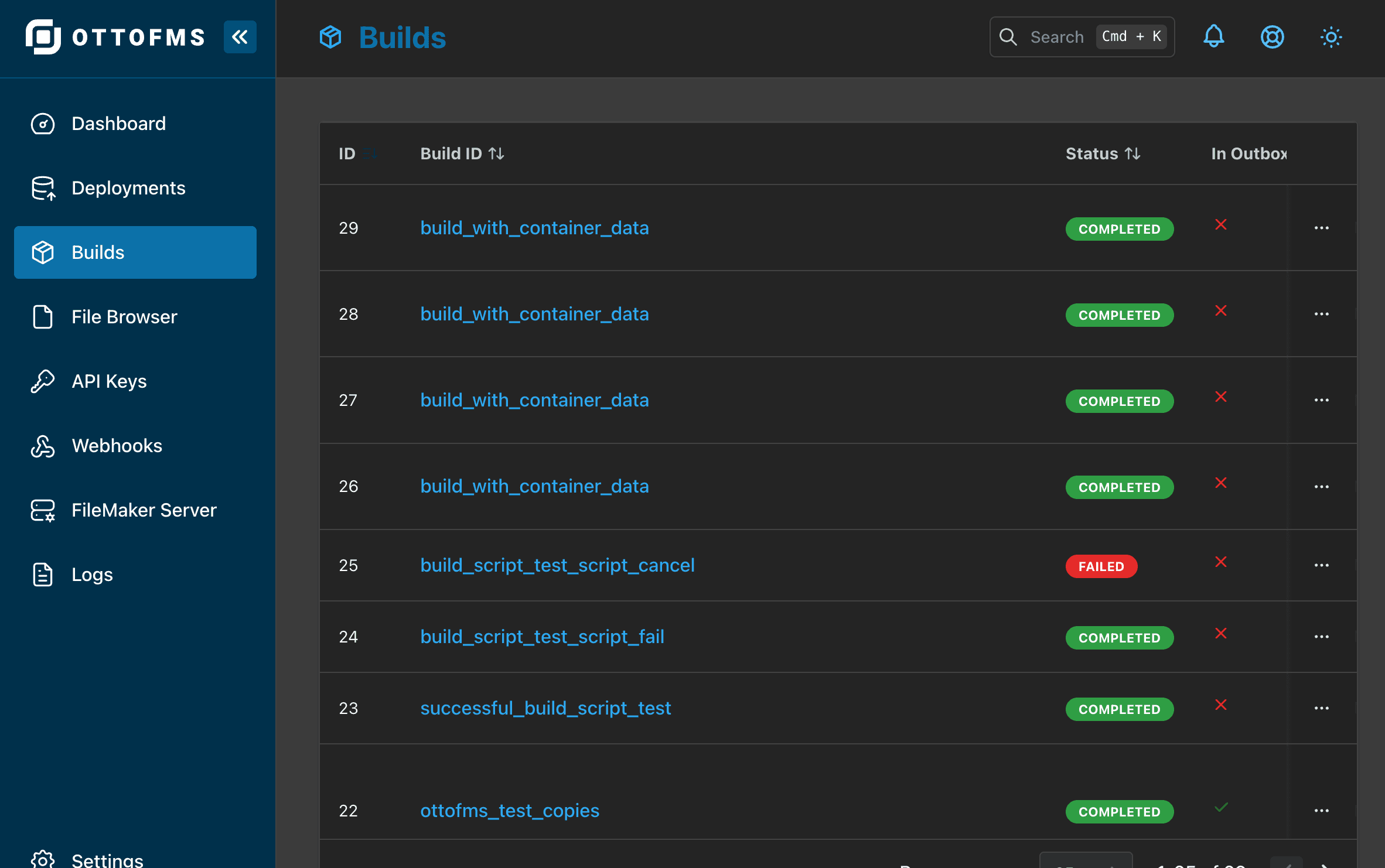
Builds List
The Builds List shows a list of all builds that have run on the server. You can rerun, publish, or delete builds from the list.
File Configuration
If a build's files include a file note, webhook channels, or MCP servers collected as part of the build, you can expand that file's row in the files table to see the details. This lets you confirm exactly what configuration was captured with the build before it's used in a deployment.
Publishing a Build
You can publish a build directly from the Builds List or from a build's detail page. Click "Publish Build" to choose a destination — another Server, an HTTP Folder, Offsite Storage, SFTP, or FTP. For more on why you'd want to do this, see the Publishing Builds page.
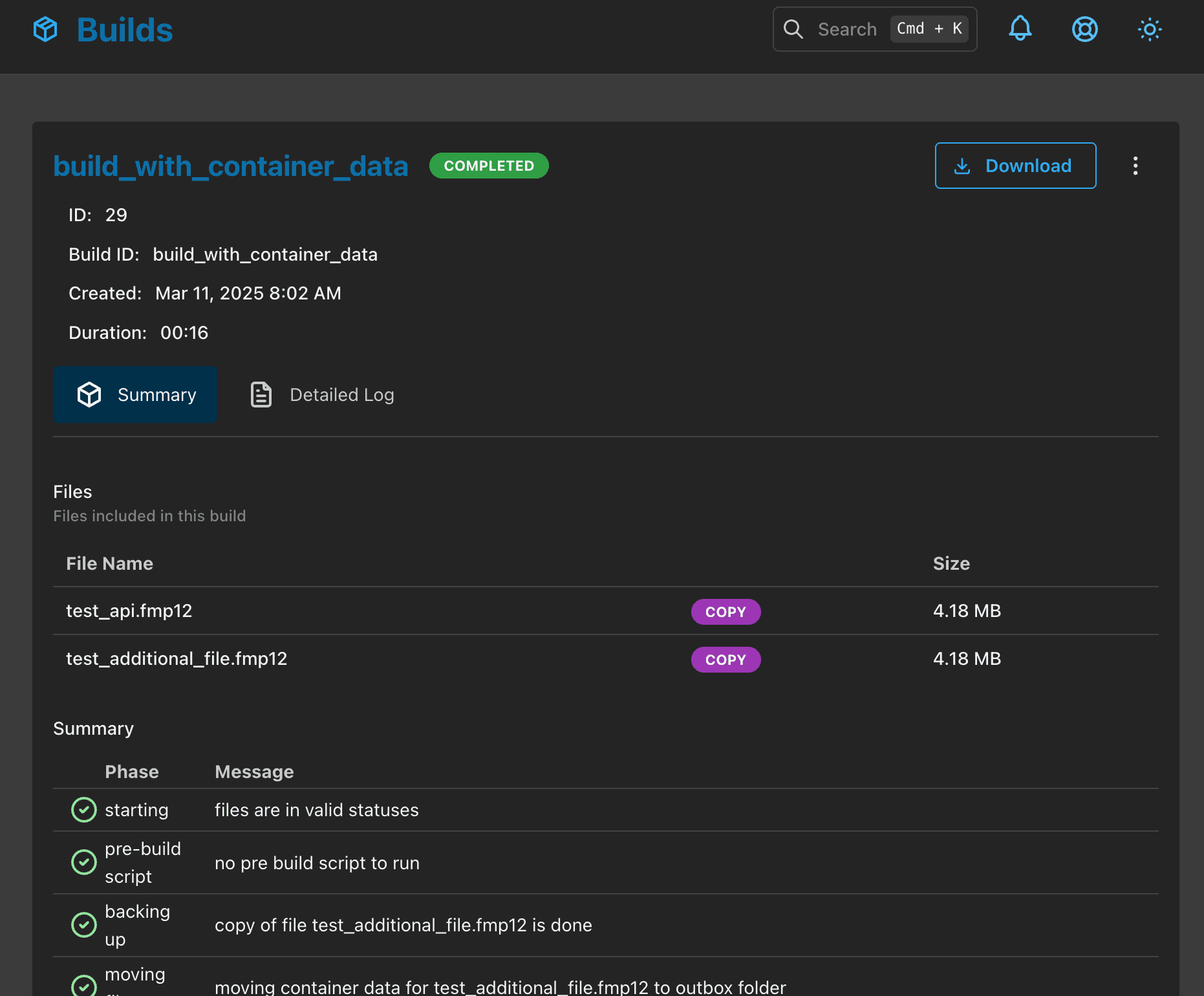
Build Details
The Build Details view shows more detailed information about a specific build. In the build detail you can view logs, rerun, publish, or delete a build.
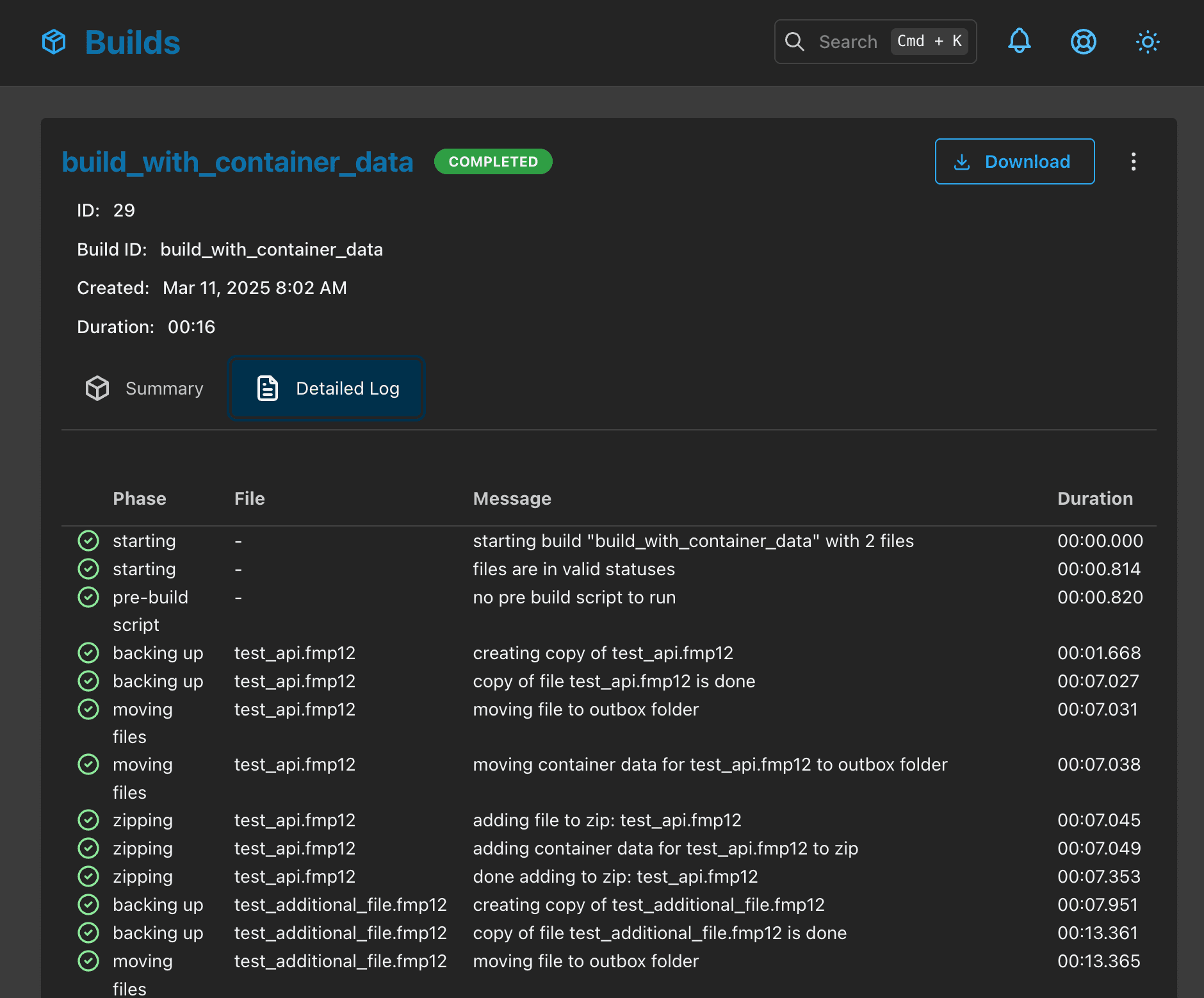
Build Detail Logs
The Build Detail Logs view shows the logs for a specific build. This can be useful for debugging issues with a build.
Was this page helpful?
Deployments
Review past and running deployments, drill into detailed logs and file changes, and undo, re-run, or abort deployments right from the console.
File Browser
Browse, upload, download, move, and restore files across your FileMaker Server directories, including live databases and offsite backup storage.