Servers
Add and manage the FileMaker servers OttoDeploy connects to, and organize them with labels and tags for deployments and builds.
Servers in OttoDeploy represent the list of FileMaker servers where you can perform the actions enabled by OttoDeploy, like running a deployment or creating a build. Any OttoFMS server can be added into your OttoDeploy as long as you have an OttoFMS Admin API key or the ability to create one using the server admin credentials.
List View
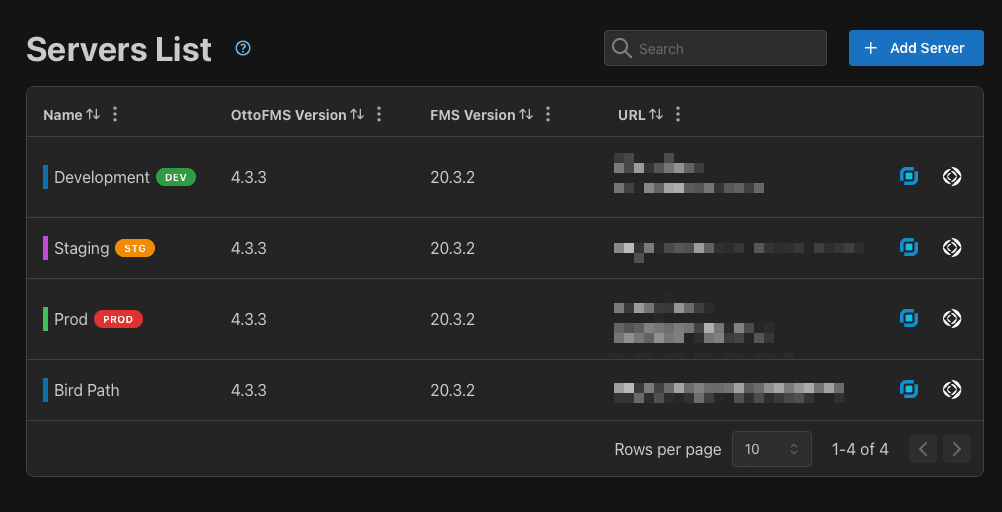
On the servers list view you can see all the servers you have setup. A Tags column lets you filter the list by tag. You can also group the list by tags from that column's header menu — your grouping choice is remembered the next time you open OttoDeploy.
Edit a server
Click on the server in the list to bring up the edit dialog:
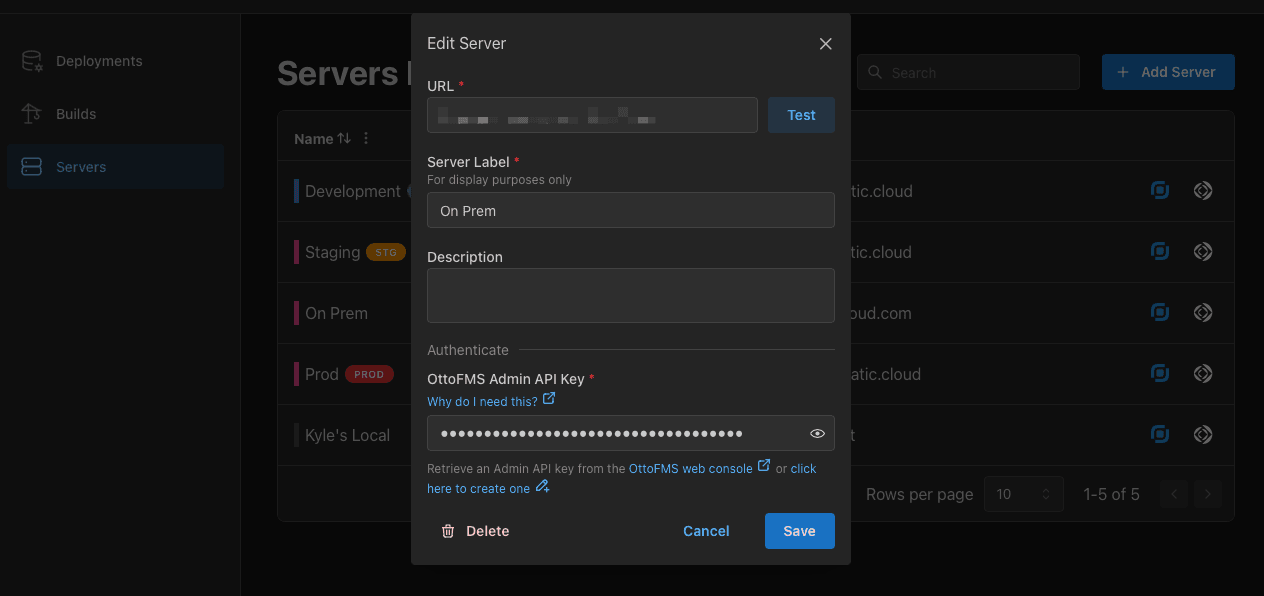
Make sure you test the server connection before adding it! If your connection does not succeed you may not be able to send builds and deployments via OttoDeploy.
The server label is only used in OttoDeploy to identify your server in the interface. If your server has a nickname set up in OttoFMS and you have not defined a label in OttoDeploy, the nickname will be used instead.
Tags are applied to a server from the Edit Server modal shown above.
Was this page helpful?
Builds
Configure, tag, publish, and manage reusable builds in OttoDeploy, including turning an existing deployment into a build and tuning compression and memory.
Auto Updates
OttoDeploy checks for new versions automatically and prompts you to install them, using OttoFMS to handle file updates and data migrations when needed.