Diagnostic Information
Learn how to gather deployment debug ZIPs, logs, and JSON details from OttoFMS so support can quickly diagnose your issue.
If you have a problem with a particular deployment, and need some help, there are a few bits of information you can provide that will help us help you. Below you will find information on how to retrieve the information we may ask you for.
Deployment Debug ZIP
The fastest way to send us everything we need for a deployment is the deployment debug ZIP. It can be retrieved from the deployment details page in the OttoFMS console. This ZIP bundles the deployment log, the build log, the otto-info.log and Event.log from the window around the deployment, a combined time-sorted log, and a JSON file of server details.
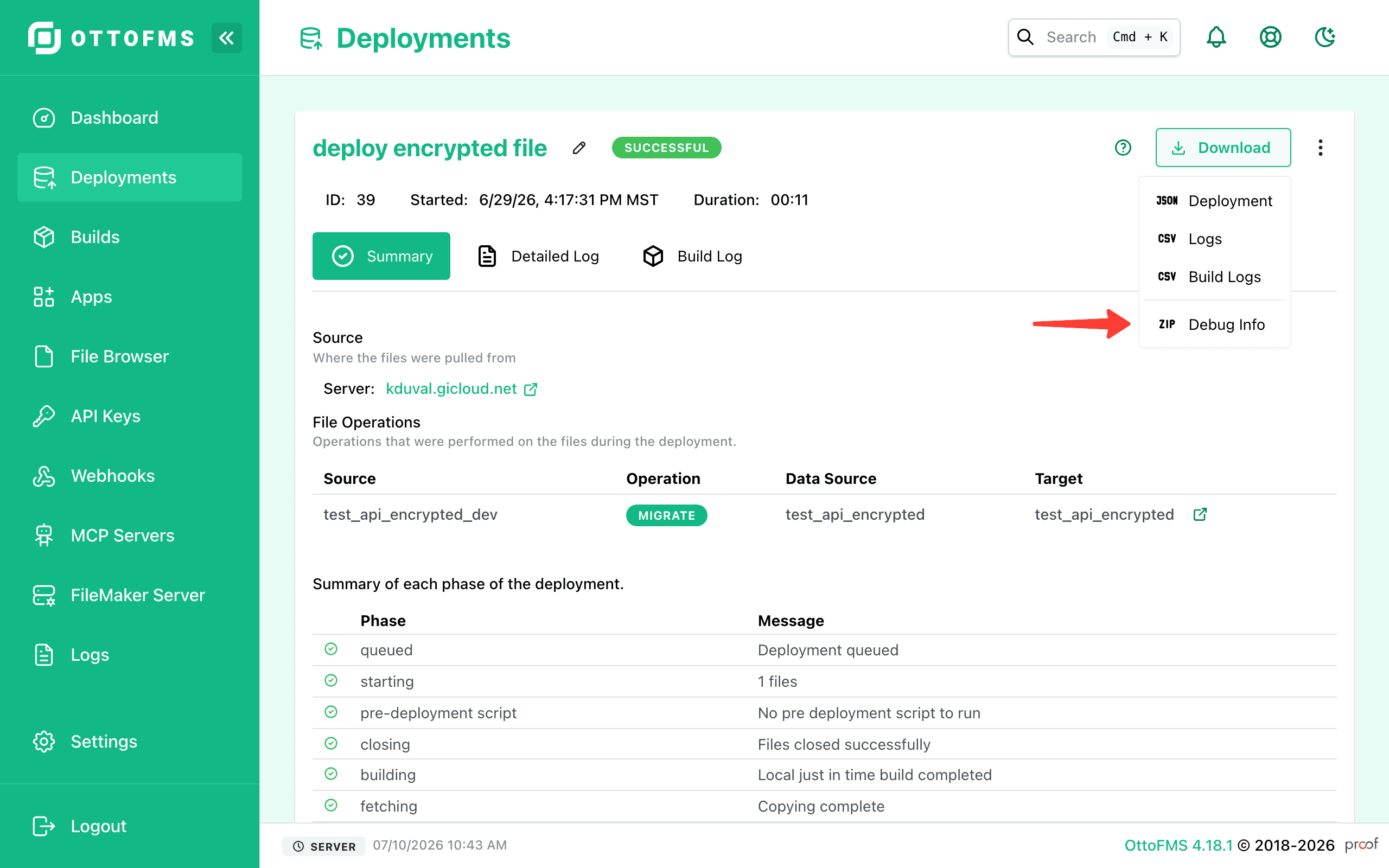
You may also want to turn on debug logging to get more information about what is happening in OttoFMS before you reproduce the issue. These logs are especially useful when sending information to the OttoFMS support forum.
Deployment JSON and Logs
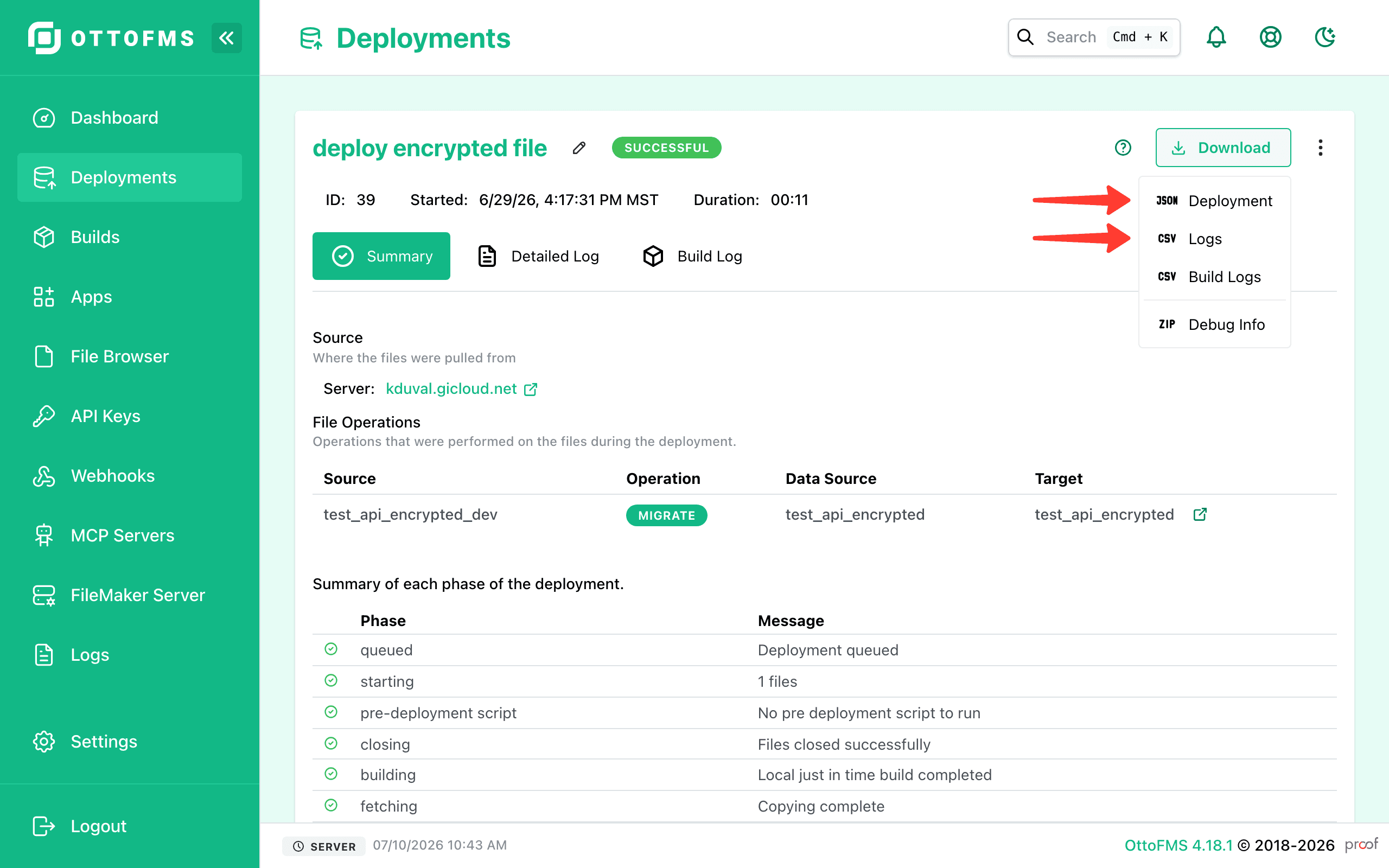
You can get the deployment JSON and the deployment Logs for any given sub deployment from the deployment details screen in OttoFMS. Hover over the Downloads button and select the appropriate option.
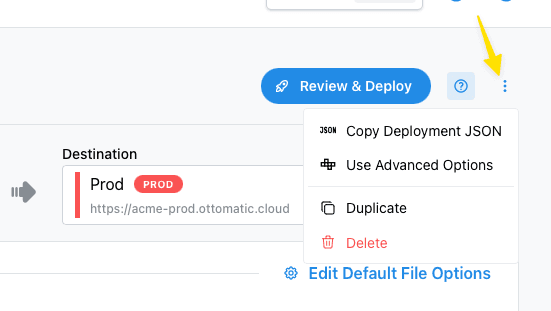
Full deployment JSON
You can copy the full Deployment JSON from the deployment details screen. Click the three dots in the top right of the deployment details screen and select "Copy Deployment JSON". Choose hide secrets to mask any sensitive information.
OttoFMS Logs
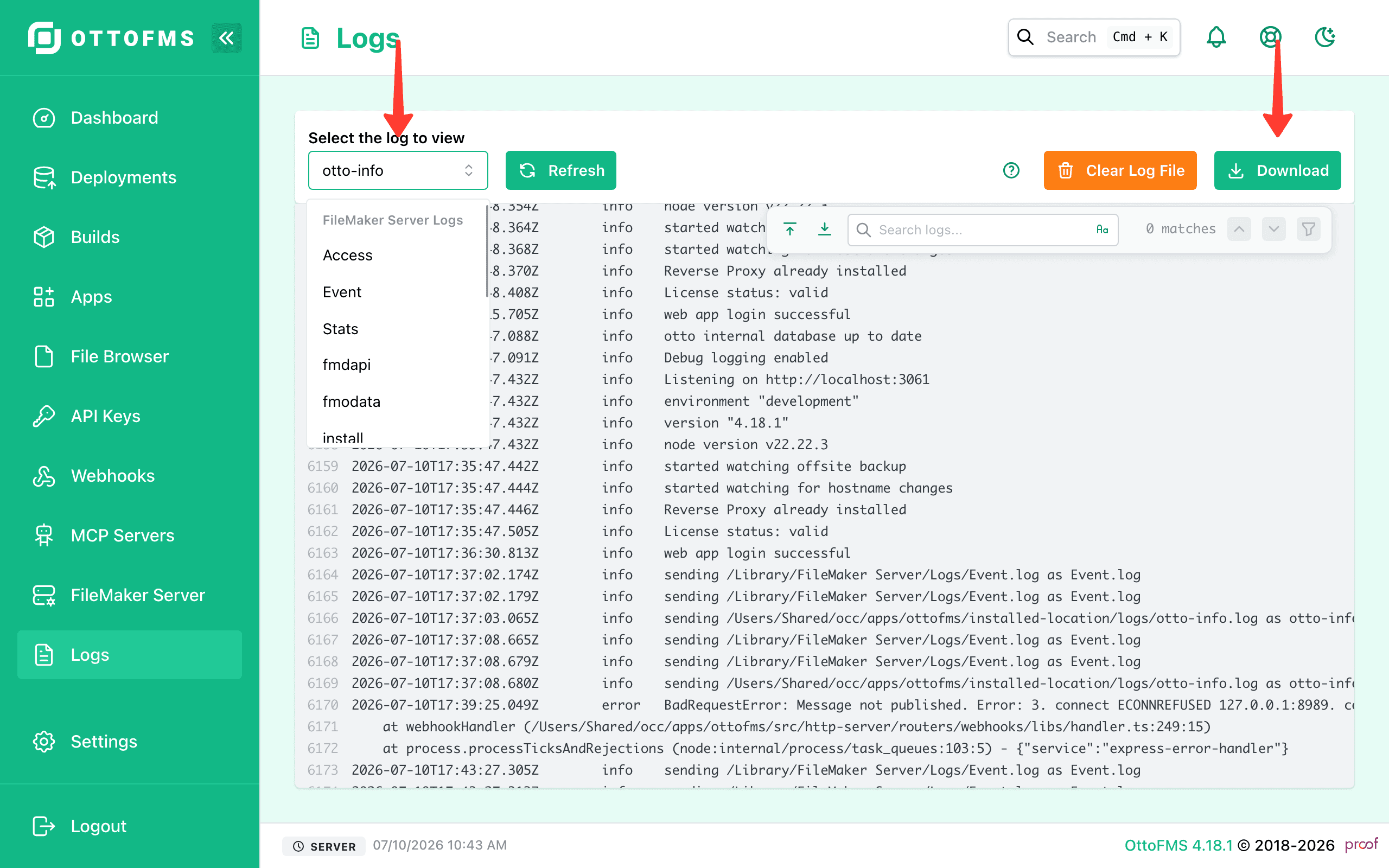
The OttoFMS logs are available from the "Logs" tab in the OttoFMS web console. Choose the logs you want in the drop download menu on the left, then you can download the logs by clicking the "Download" button.
The otto-info.log incudes errors as well as other information so it is generally the most useful.
If you are having trouble with webhook receiving then otto-receiver.log is the most useful.
Multiple Servers
Don't forget that if you have multiple servers involved in the deployment, it would be helpful to have the logs from all of them.
Sending sensitive information
We don't recommend that you post all of this information in a public post on the community forum. Please direct message one of the Proof+Geist team members with the information. You can also email the information to support@proofgeist.com and reference your public post.
Usually whoever is helping you will ask for the information they need be sent to them via Direct Message.
Was this page helpful?