Offsite Backups with OttoFMS
Connect an Ottomatic Cloud Storage location to your server and configure offsite schedules so OttoFMS backups are sent safely off site.
Ottomatic Object Storage is the ideal option for OttoFMS Offsite backups due to its ease of set up and life time options.
Before you begin, make sure you have:
- An Ottomatic Cloud Storage location set up (see Getting Started with Storage).
- A server connected in the Cloud Console.
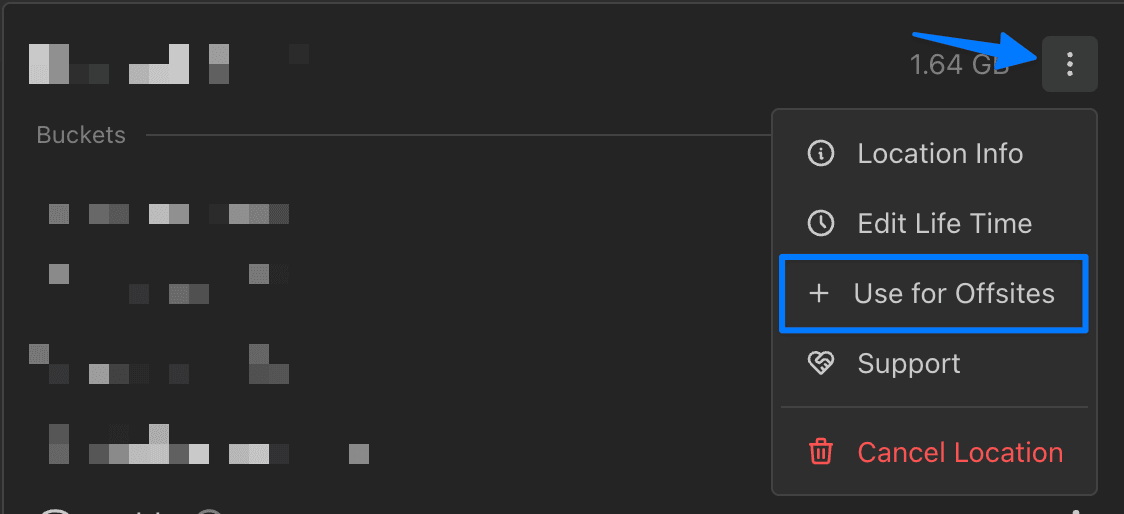
From the Ottomatic Cloud Console, you can simply choose the option on your Storage Location to "Use for Offsites", which will give you an option to select a server to add the offsite location to.
Select a server, add a location identifier, and click "Submit" to finish setup!
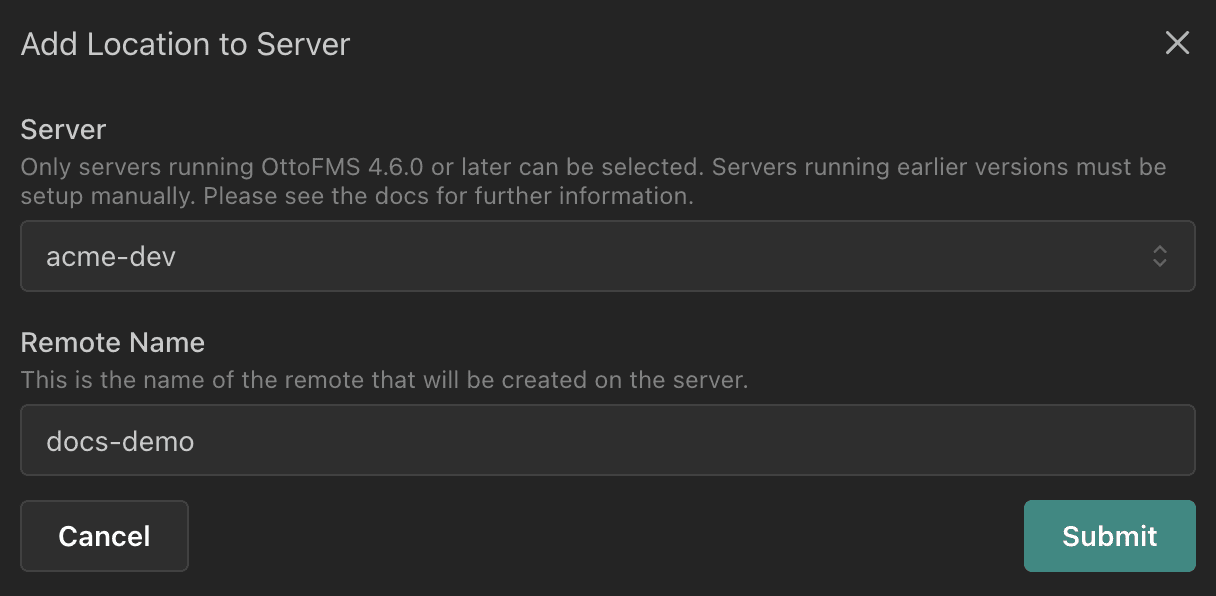
You can then head to the Server Dashboard to set up Offsite Schedules and start sending backups to your storage location.
Was this page helpful?